Tradytics Portfolio: your broker linked, a payoff chart on every option you hold
By Faizan Ahmad. Updated .
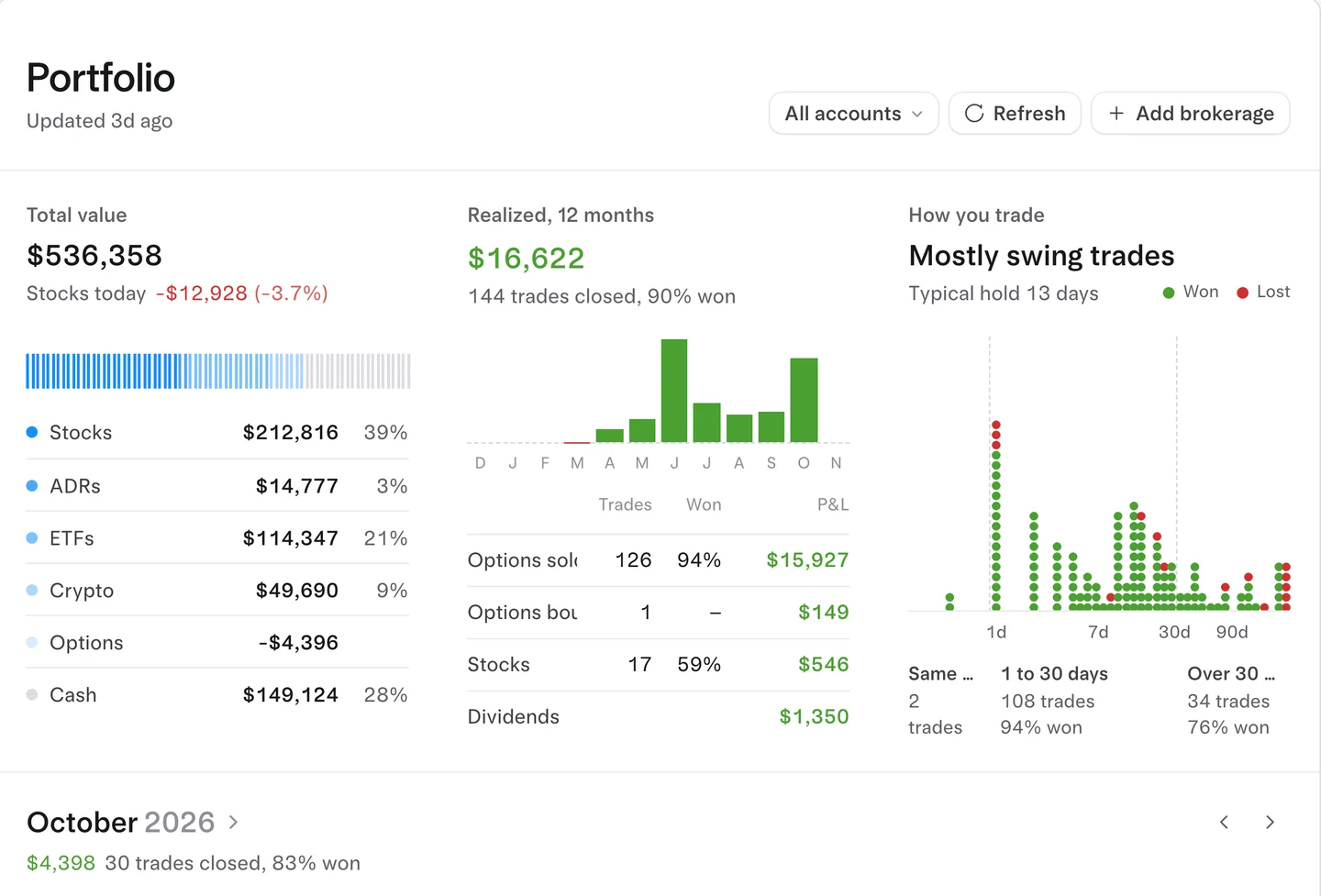
Tradytics Portfolio links your brokerage read only and puts a payoff chart on every option position you hold, beside every account's stocks, options, crypto and cash, priced live. Free on every plan.
Click Payoff chart and the contract opens in Payoff (the options strategy builder) at what it cost: the payoff at expiry and before it, break-evens and P&L by price and date. It works with Robinhood, Schwab, Fidelity, Interactive Brokers, Webull, tastytrade, E*TRADE, Public and every broker SnapTrade supports. Plus and Pro add Factors (is the return skill or just the market?) and Versus (your book against the US market on 28 metrics).
What you see
| Part | What it shows |
|---|---|
| Total value | Every account summed: stocks, ADRs, ETFs, crypto, options and cash, with value over time |
| Options | Every option position with its value and P&L against what it cost or paid, and a Payoff chart button on each |
| Trades | A year of activity matched into round trips, and a daily P&L calendar |
| Stocks | One row per ticker across accounts, sortable, as a table or a heat map |
| Factors (Plus, Pro) | Your return split into the market, 11 sectors, 20 styles, options and stock selection, from your real trades; exposures, risk, and six past crashes replayed on today's holdings |
| Versus (Plus, Pro) | Your holdings against the US market on 28 metrics, from valuation and growth to options flow lean and dark pool buying |
A payoff chart on every option you hold
Click Payoff chart on any option position and Payoff opens over the page with that contract pinned as its leg, long or short, as many as you hold, at your cost. Drag the date to see what time decay does to it, add a leg to see what a roll or a spread would change, and close it to land back where you were. Each leg of a spread you hold gets its own button.
Read only
Tradytics sees positions and trades and can never place, change or move anything. The link runs through SnapTrade.
Who else connects your broker
Checked on each platform's own site, November 5, 2026.
| Platform | Broker links elsewhere |
|---|---|
| Tradytics | Read-only link to Robinhood, Schwab, Fidelity, Interactive Brokers, Webull, tastytrade, E*TRADE, Public and more; a payoff chart on every option held; Factors and Versus |
| TradingView | Plaid broker connections; its payoff builder charts strategies you draw up, not positions you hold |
| TrendSpider, Trade Ideas | Send orders to brokers; no payoff charts on held options |
| Bullflow | Places trades through Public; no portfolio payoff |
| Koyfin | Custodian links for advisors' client portfolios only |
| Unusual Whales | No broker link |
| Barchart | Read-only SnapTrade link; no payoff charts on held options listed |
| OptionStrat | Payoff charts on trades you save by hand; no broker link |
Plans
| Free | Plus | Pro | |
|---|---|---|---|
| Broker link, holdings, trades, payoff charts | Yes | Yes | Yes |
| Factors and Versus | Yes | Yes |
How to connect, step by step: link your broker and track your portfolio. More on Factors and Versus.
Common questions
How do I see a payoff chart for options I already own?
Link your broker on Tradytics Portfolio and click Payoff chart on the position. It opens in Payoff at your cost, with the payoff at expiry and before it.
Which brokers work with Tradytics?
Robinhood, Schwab, Fidelity, Interactive Brokers, Webull, tastytrade, E*TRADE, Public and every other broker SnapTrade supports.
Can Tradytics trade in my account?
No. The link is read only.
Is the portfolio tracker free?
Yes, on every plan, payoff charts included. Factors and Versus are on Plus and Pro.